Expandable List
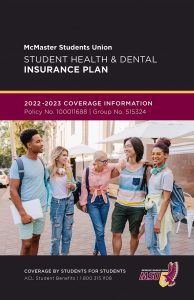
Click on the image below to download the full brochure for coverage details.
Dental Claims:
For dentists who have electronic claiming, please present your student card and the following information:
Group Number: 515324
Provider: ClaimSecure
Certificate #: Your 9-digit student ID plus M (ex:123456789M)
All Other Claims:
For all other claims, you will be required to pay for the full cost of the service or treatment and submit your original receipts to the Plan Adjudicator, or by creating an e-profile at www.wespeakstudent.com. *Note that claims are not processed through the MSU Main Office*
Download the Dental Plan claim form below:
Where to Submit Your Claims Forms:
ClaimSecure is the adjudicator for the MSU Health & Dental Insurance Plans. All insurance claims for reimbursement are to be submitted to:
ClaimSecure
PO Box 6500 Stn A
Sudbury, Ontario P3A 5N5
For inquiries on claims that have already been submitted, please call We Speak Student/ACL Student Benefits at: 1-800-315-1108
To serve students better, the MSU has provided a Dental Network to all students. Within the Dental Network, you can maximize your plan to work for you. Visit www.wespeakstudent.com for for detailed information on the Dental Network.
1. Which Dentist may I go to? Does McMaster have specific dentists that I have to use to utilize my dental plan?
McMaster Students Union is now part of a dental network provided by ACL Student Benefits. You may visit the Canadian dental office of your choice, but in order to utilitze your plan to the fullest you can visit www.wespeakstudent.com to see which dentists are provided to you by the network.
2. May I co-ordinate this plan with another?
Yes! Be advised that your school insurance is your primary insurance. You will need to submit any claims to the MSU Dental Insurance plan before you submit your claim to any other insurance plan that you currently have.
3. My student card was not accepted for making an electronic claim. Why? What should I do?
There are a few different reasons for having online claiming complications:
1 – During the months of September until mid-October, while the registration process is being completed and the opt out period is in effect, there is a “black out period” before the eligibility file can be activated for the purpose of making online claims. During this time, you are welcome to make a paper claim, which will be held until the eligibility file has been received.
2 – The individual attempting to process your claim may not be familiar with ClaimSecure procedures. A toll-free number has been provided to all ClaimSecure subscribers so they are able to assist you on the spot. The toll-free number is: 1-888-513-4464.
3 – You may have given the dental office incorrect information. Please ensure that you have the proper Group Number (515324), Provider Name (ClaimSecure), Certificate # _ _ _ _ _ _ _ _ _ M (insert your McMaster Student ID number in the blanks)
4 – If you experience further complications that are not related to the above situations, please contact ACL Student Benefits for help directly at 1-800-315-1108.
4. Making an electronic claim was not an option available to me; how can I receive reimbursement for my claim?
You can conveniently make electronic claims in most situations. However, if this was not an option or, you had already paid for your claim in full, manual reimbursement forms are available to you in our Dental “Claims” section.
5. Can I submit my claims electronically instead of through mail?
Yes! You can now sign up for an eProfile for online claiming through We Speak Student and ClaimSecure. You can find the portal at www.wespeakstudent.com. Please note that the portal will only accept submissions after the blackout period of September 1st to mid-October.
Please make sure you sign up with the following information:
Group Number (515324)
Provider Name (ClaimSecure)
Certificate # _ _ _ _ _ _ _ _ _ M (insert your McMaster Student ID number in the blanks)
6. Am I covered for wisdom teeth removal?
Wisdom teeth removal is covered under the MSU Dental Insurance plan however limited to two wisdom teeth per any policy year at 50% (75% on the dental network) coverage.
7. How many cleanings can I get in a year?
The MSU Dental Insurance plan covers 80% (100% on the dental network) of one cleaning per policy year.
8. Are teeth whitening procedures covered by the Dental plan?
No. The MSU Dental Insurance plan does not cover the costs associated with cosmetic dental procedures.
9. Can I add my family members to the plan?
Yes! You may add on your spouse and /or dependant children to the Dental plan. Click HERE for more information.